
Digital Wellbeing for your PC. Completely free.
Pulse shows where your time on Windows goes: screen time, app usage, focus sessions and how loud your headphones get. No subscription, no account, no catch. It’s open source and everything stays on your PC.
Free · Latest version
No admin rights · or Microsoft Store
On your phone? Open this site on your Windows PC to install.
- $0, forever
- No sign-up
- Works offline
- Star on GitHub
- No trial, no paywall, no premium tier
- $0
- Install and open. That’s it.
- 0 accounts
- Languages, following your Windows setting
- 14
- Open source, every line on GitHub
- GPL-3.0
Free means free
Nothing to buy. Nothing to sign. Nothing to unlock.
Most screen-time tools want a subscription or your data. Pulse is a community project, so every feature is included for everyone.
Every feature included
Focus, limits, hearing, insights. No “Pro”.
No trial that runs out
Free on day one and day one thousand.
No ads inside the app
The app never shows you anything to buy.
Your data is not the price
No telemetry. Nothing leaves your PC.
No account or email
Nobody needs to know you use it.
Open source for good
GPL-3.0 keeps it free for everyone.
Easy to get
Up and running in under a minute.
- 01
Download
One click gets the latest installer from the official GitHub release, or use the Microsoft Store.
- 02
Run it
No admin password, no account to create. Pulse settles into the system tray.
- 03
See your day
Pulse starts counting quietly and keeps itself up to date from then on.
Take a look
A calm dashboard, not another nag.
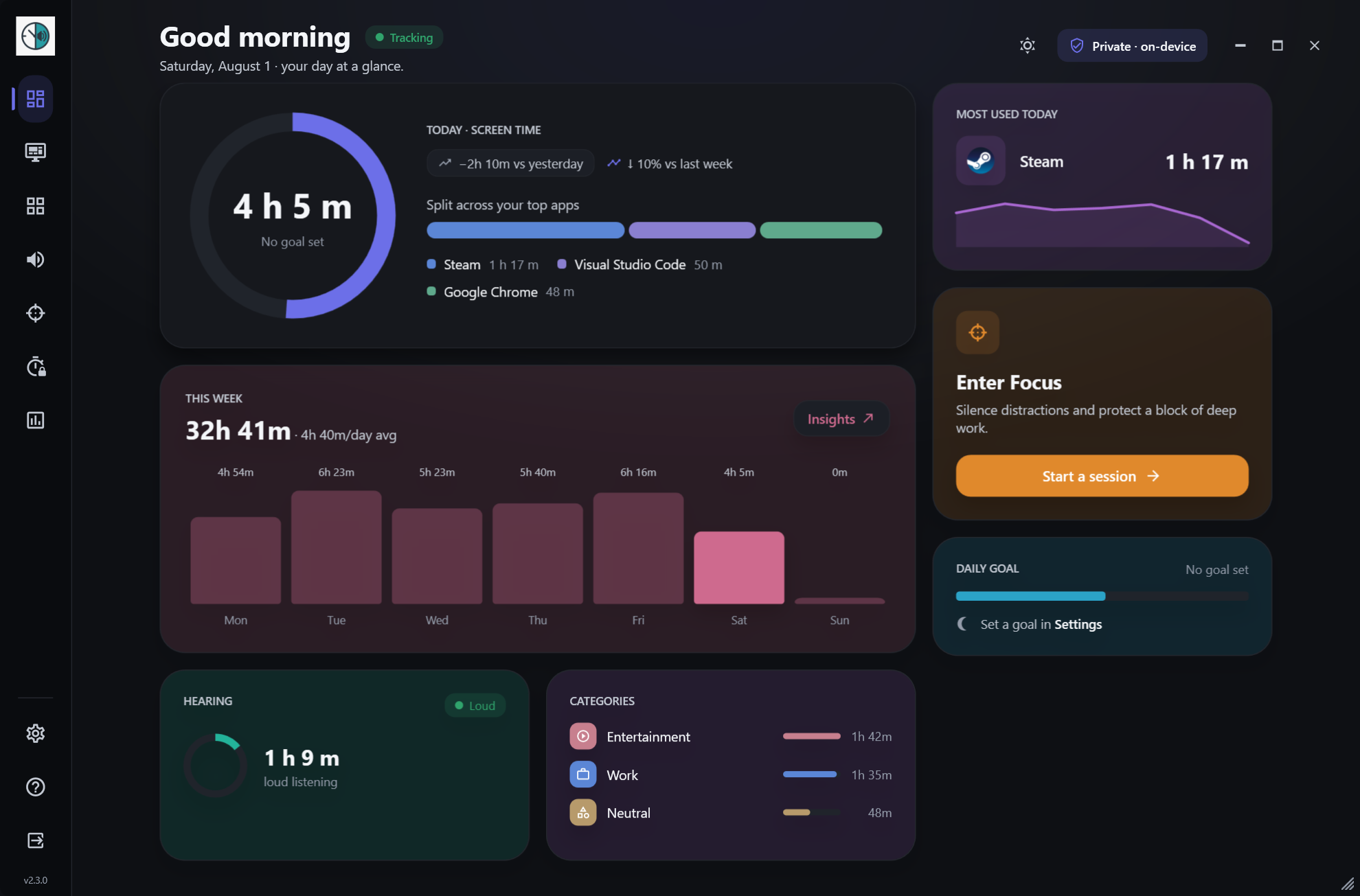
Your day at a glance
Screen time, top apps, focus and listening level for today, on one calm page.
Features at a glance
Everything included. Use what you need.
Privacy, plainly
Your screen time is nobody’s business but yours.
Pulse keeps everything in a local database on your PC. There is no server to send it to.
- No account or sign-in
- Nothing sent to a cloud
- No telemetry or analytics
- Never records audio
Open source
Built in the open, by people who use it.
Pulse is GPL-3.0 licensed and built by Swaraj Dhondge with help from contributors. Read the code, suggest a feature, or help translate it.
From the blog
Guides for a healthier screen life.
FAQ
Questions, answered
Is Pulse really free?
Yes, completely. Pulse is open source under GPL-3.0. There is no paid tier, no trial and no ads inside the app.
Is there a Mac or Linux version?
Not yet. Pulse is built for Windows 10 and Windows 11 for now.
Do I need admin rights to install it?
No. The GitHub installer sets Pulse up for your user account without an admin password.
Does Pulse send my data anywhere?
No. There is no account, cloud sync, analytics or telemetry. Your data never leaves your PC.
Does the hearing feature record audio?
No. It reads the system’s audio output level only. Pulse never records audio and never accesses your microphone.
Free for Windows. Ready in a minute.
Windows 10 & 11 · no admin rights · no account · updates itself